
ToDo Sidebar
A todo list for each project, shown in a sidebar in Claude Code. You and Claude work on the same list. It is a plain todos.md in the project folder, so you can also edit it by hand, keep it in git or leave it out.
claude plugin validate to auditGuide →Writes files, executes local shell processes, or programmatically drives Claude.
Statically scanned from hooks & source. Learn how to audit
todo-sidebar
A todo list for each project, shown in a sidebar in Claude Code. You and Claude
work on the same list. It is a plain todos.md in the project folder, so you
can also edit it by hand, keep it in git or leave it out.
| The list | An item |
|---|---|
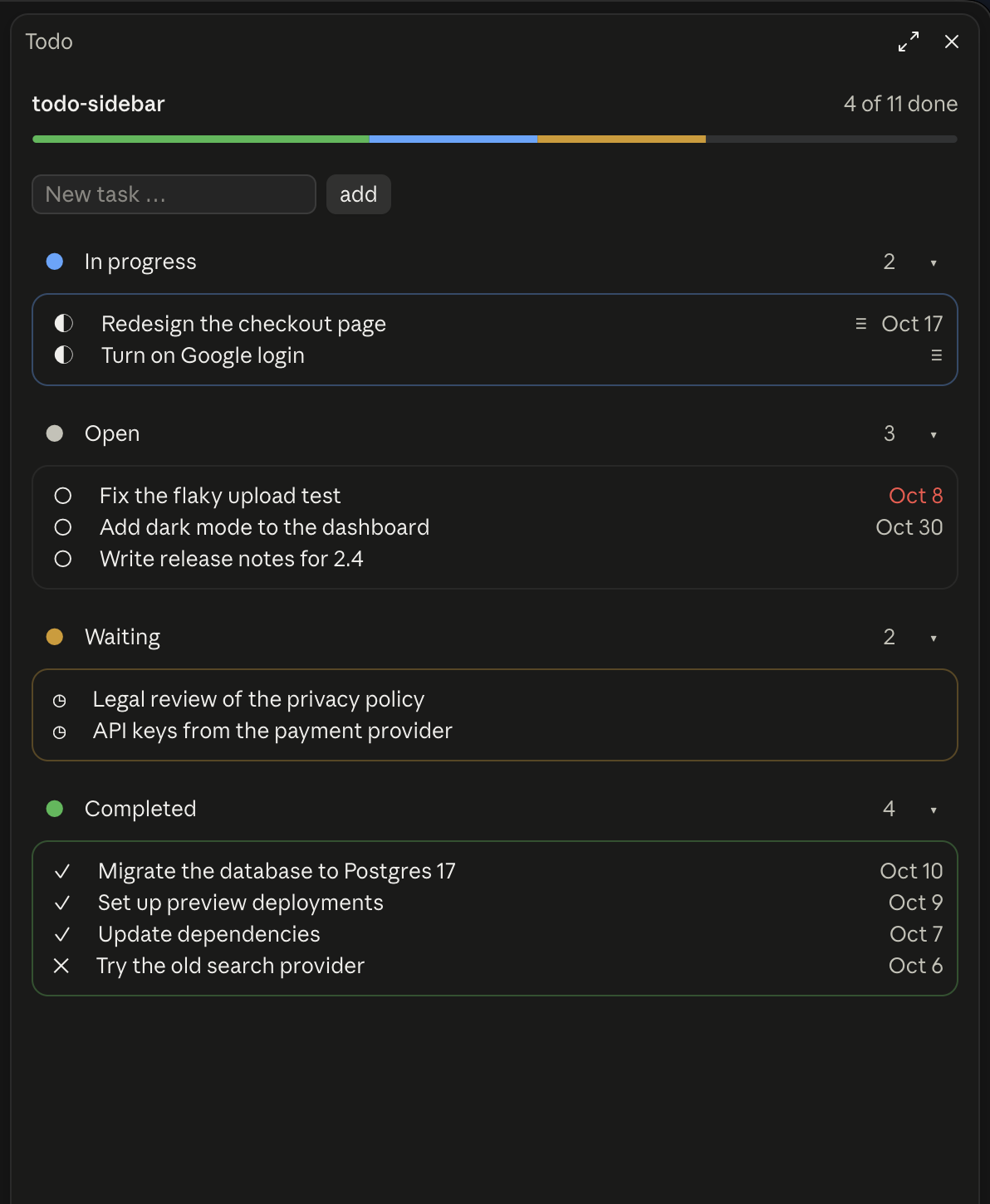 | 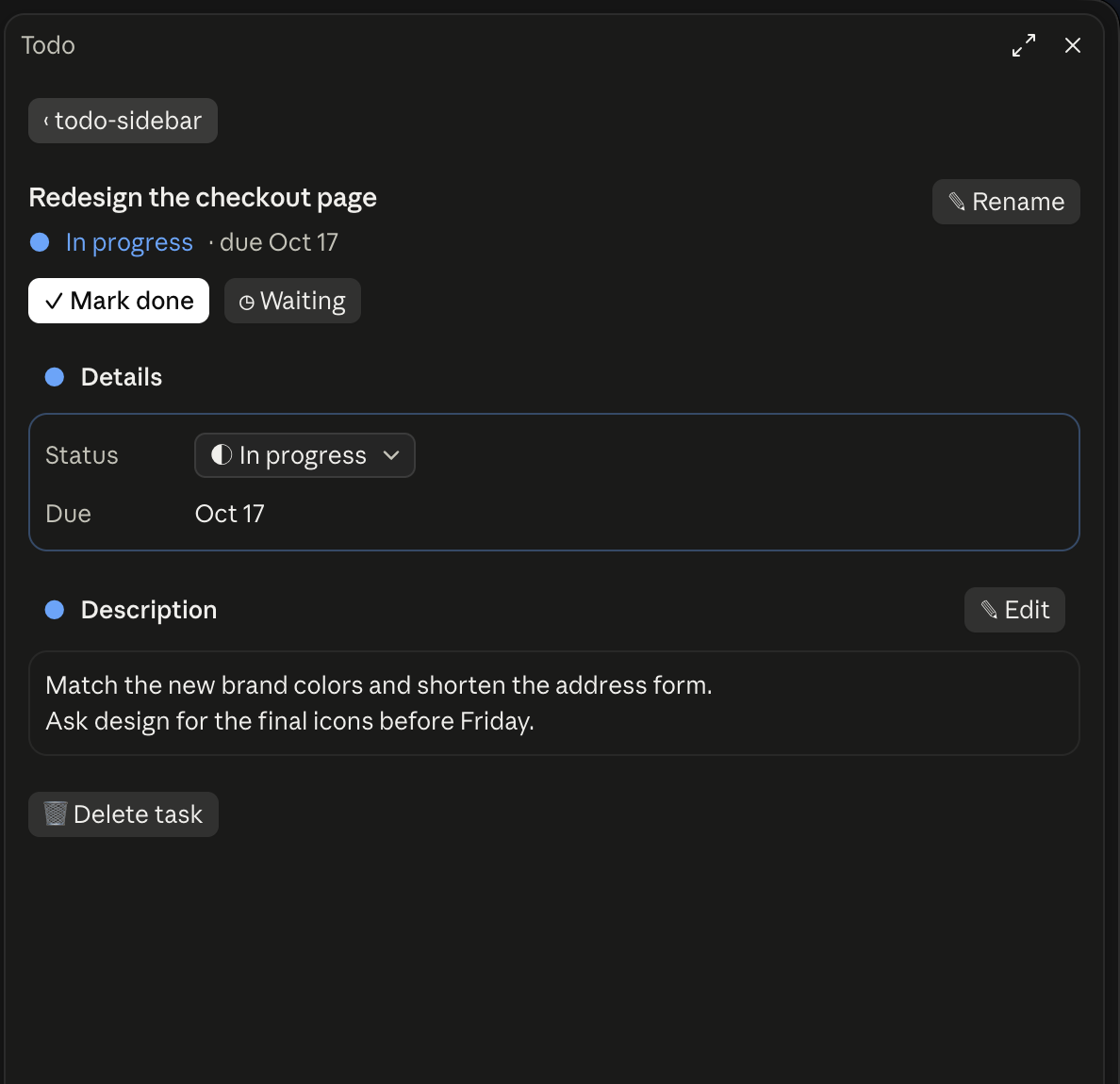 |
It works in the terminal too:
| The list | An item |
|---|---|
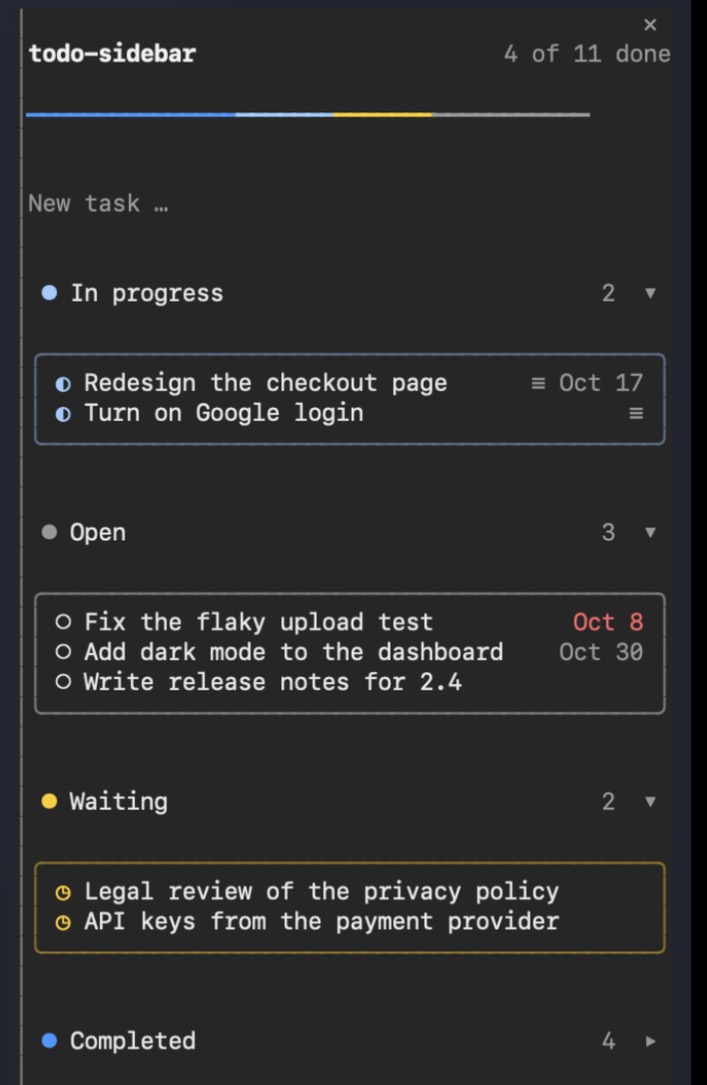 | 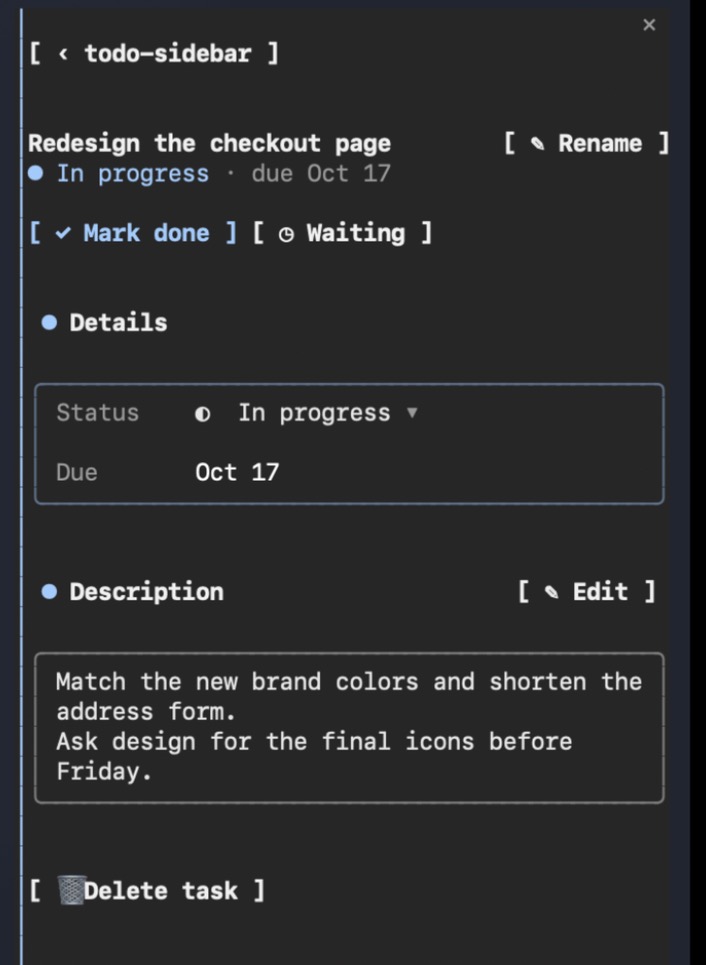 |
- A sidebar pane. It opens when a session starts and shows open items grouped by status (in progress, open, waiting). Click a status heading to fold its items away or show them again. Completed items are folded away below them. Each project remembers which groups are folded, so the next session opens the list as you left it.
- Add, open and edit items. Type a title and press Enter to add one. Click an item's status icon to pick another status from the list that opens under it. Click the title to open the item. Its page has buttons for the likely next step (▶ Start, ✓ Mark done, ↺ Reopen), ✎ Rename for the title, and a picker for any status. The description is a field of several lines, saved as you type. 🗑 Delete task asks before it deletes.
- Five statuses: open, in progress, waiting, done and dropped. An item can also have a due date, and an overdue item is shown in red.
- Claude can use it. The plugin gives Claude a
todotool. Ask it to "add this to the todo list", "what's left on the list?" or "mark the login task done", and Claude updates the list as it starts and finishes work on it. - Worktrees share one list. A session in a desktop worktree
(
<project>/.claude/worktrees/<name>) uses the project's owntodos.md.
Install
Run this at the prompt of a Claude Code session in a terminal:
/plugin install todo-sidebar --marketplace stoumann/todo-sidebar
Answer y to add the marketplace, then pick a scope. With the user scope
the plugin is on in all your projects. It starts working right away, with no
restart needed.
You have to install from a terminal: the /plugin command is not available in
the desktop app's Code tab. After a user-scope install, the plugin also loads
in local sessions that the desktop app starts, and its sidebar shows up there.
Update or remove
claude plugin update todo-sidebar@stoumann
claude plugin uninstall todo-sidebar@stoumann
Use
The sidebar opens by itself. If you have closed it, open it again with:
/todo-sidebar
The file
The list is kept in todos.md at the project root. The plugin creates the file
the first time you add an item. A status is written in the checkbox:
| Mark | Status |
|---|---|
[ ] | open |
[/] | in progress |
[>] | waiting |
[x] | done |
[-] | dropped |
# Project Todos

## Active
- [/] Turn on Google login | Due: 01/15/2027
  Google Cloud: OAuth client with a redirect.
  Then set the provider in the deploy settings.
- [ ] Ship to production

## Completed
- [x] Import the holiday events | Done: 10/09/2026
- A description is made of the indented lines under an item, written in markdown.
- Dates are written as
MM/DD/YYYY.YYYY-MM-DDis also read. - Open items are listed under
## Active. Completed and dropped items move to the top of## Completed. - An edit only changes the item it is about. Other headings and notes in the file stay exactly as you wrote them.
- The sidebar checks the file every two seconds, so it picks up changes you make in an editor.
Develop
Load the plugin from a checkout for one session:
claude --plugin-dir /path/to/todo-sidebar
Run the tests, and check the manifest and the hooks module:
claude plugin test .
claude plugin validate .
When the plugin is loaded from its folder, Claude Code writes its type
declarations to .claude-plugin/types/, and tsconfig.json extends them, so
tsc -p . type-checks the plugin.
License
MIT
Details
- Author
- @stoumann
- Sub-category
- Dashboards
- License
- MIT
- Surfaces
- hooks/editor.tsx
- Added
- 1 months ago
- Last synced
- today
- Events hooked
session.startcommand.runtool.callui.messageui.faultui.render
Weekly Mods Digest
Top new Claude Code mods and install commands, once a week. No fluff, unsubscribe anytime.

