
Claude Skins
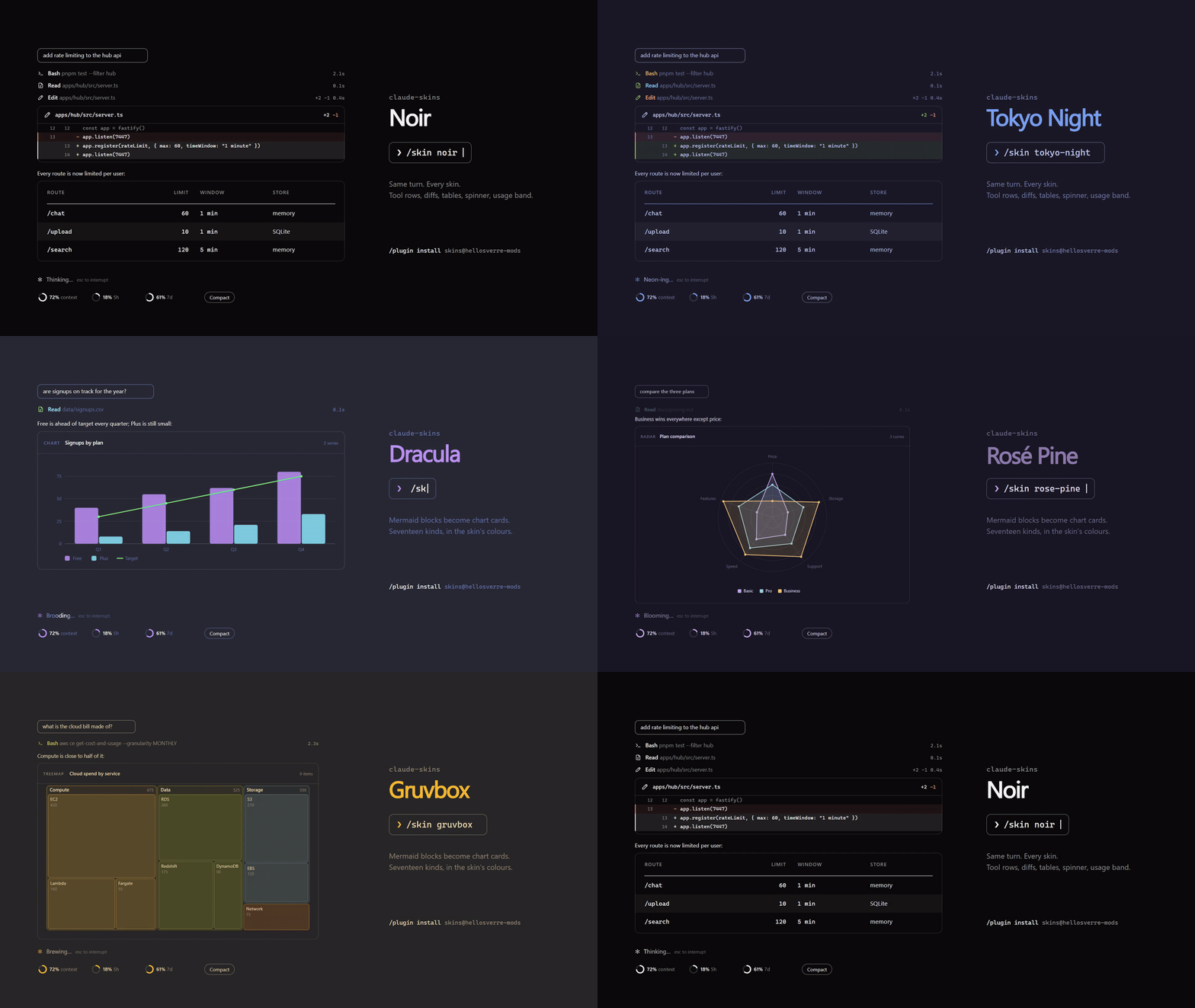
Skins for Claude Code: tool rows with icons, diff, table and Mermaid chart cards, a usage band and fifteen themes. /skin swaps them live.
claude plugin validate to auditGuide →Makes outbound network requests, calls MCP servers, or requests auth handles.
Statically scanned from hooks & source. Learn how to audit




Tool calls with icons and timings, edits as diff cards, tables, code and Mermaid charts as cards,
a live usage band, and sixteen skins you can repaint or have Claude design for you.
Install
Needs Claude Code 2.1.287 or later, in a terminal or the desktop app's Code tab. Run both inside Claude Code:
/plugin marketplace add hellosverre/claude-skins
/plugin install skins@hellosverre-mods
Restart Claude Code. The noir skin is on; type /skin to change it.
Looking for more mods? /plugin install mod-store@hellosverre-mods, then /mods browses and installs about 2,700 of them from a pane, showing what each one can access first.
Update
skins checks for a new release once a day and shows a toast when you are behind. To update:
claude plugin marketplace update hellosverre-mods
claude plugin update skins@hellosverre-mods
Then restart Claude Code. Open sessions keep the version they started with.
Uninstall
claude plugin uninstall skins@hellosverre-mods
To keep it installed but go back to Claude Code's own drawing, run /skin off.
Use
/skin help lists every command in Claude Code; /skin list shows every skin and setting.
Skins
| Command | What it does |
|---|---|
/skin | Settings: pick a skin with a live preview, toggle parts, repaint any colour |
/skin <name> | Switch skin (names below) |
/skin list | Every skin, yours included, and every setting |
/skin help | Every command, in a table |
/skin off · on | Back to Claude Code's own drawing, or skins back on |
/skin gallery | Every element the skin draws, numbered, to point at |
/skin pin · unpin · share | Give this folder its own look, drop it, or make it the default |
/skin copy · copy code | Copy Claude's last reply, or just its last code block |
/skin calm · calm off | No motion, one line per tool row, read-only output folded, failures always whole; calm off puts back what you had |
Built-in skins: noir, tokyo-night, dracula, catppuccin, rose-pine, nord, gruvbox,
kanagawa, everforest, one-dark, solarized, night-owl, ayu, github, mono, terminal.
Options
| Command | What it does |
|---|---|
/skin tables on/text/off | Tables as cards, as selectable text on the desktop, or Claude Code's own |
/skin prompt left/right/plain | In the terminal, which side your prompt's outline sits on, or a plain leading marker. The outline is drawn in the skin's optional border colour, or muted where a skin does not set one. The desktop keeps Claude Code's own messages, with copy and rewind |
/skin words claude/skin | Whose words the spinner and the turn footer show: Claude Code's own, or the skin's (the default) |
/skin code skin/accent | How inline code reads: in the skin's own colour on its band (the default), or as an accent red word on the band, as Notion draws it |
/skin icons unicode/ascii | The icon set, and ASCII-only diagrams in the terminal |
Parts, each switched with /skin <part> on or off:
| Part | What it does |
|---|---|
rail | The coloured rail beside tool rows |
shimmer | The band of light across the spinner word |
band | The usage meters above the prompt |
countdown | Time left on each limit in the band |
compact | The Compact button in the band, with a nudge from 70% context (on by default) |
clip | Trim Claude Code's own shell output to its head and tail |
markdown | Alerts and task lists drawn |
quiet | Reads, searches and read-only commands folded to one row |
charts | Mermaid fences as charts |
math | Math typeset |
commands | Slash-command output as tables and cards |
shell | Shell output as a card |
highlight | Code blocks highlighted in the skin's colours |
hints | Tell Claude that charts draw here |
links | URLs and paths as links |
copy | Copy buttons on cards |
fold | Long blocks fold behind ▾ N more |
expand | Every run of reads and searches open, instead of the one line Read 3 · Search 2 ▸; off by default |
Design one with Claude. Ask "make me a skin that feels like a sunset". skins gives Claude a
design tool, so it builds the skin and applies it while you watch. Repainting a built-in skin saves
it as your own my-<skin>. Choices are remembered across sessions.
Preview
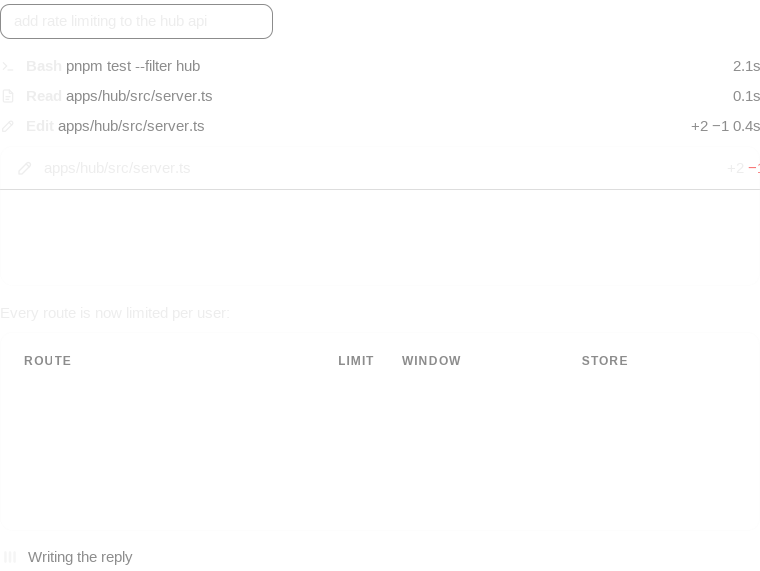
Drawn by the mod's own card code (scripts/previews.ts), not screenshots.




What it redraws
| Part | Desktop app | Terminal |
|---|---|---|
| Tool calls | Icon per kind, spinner while running, lines changed, time taken. ▸ opens the row: the call's input in full and its answer (a read's text with line numbers, a search's matches, the shell card, the diff); a failed call opens by itself | A node on the turn's rail, with the same ▸ |
| Edits | Diff card with +N −M and numbered lines | Claude Code's own diff |
| Shell commands | Terminal card with status, stderr apart, long output folded; paths, numbers and error, warning and pass words coloured | Card with the command, the output coloured the same way, ✓ or ✗ exit N, stderr in red under its own label, each stream folded to 8 + 4 lines (/skin shell off for Claude Code's own) |
| Quiet output (off by default) | Reads, searches and read-only commands fold to one row; a failure keeps its error line | The same |
| Tables | Card with header rule, zebra rows, colour swatches | Cell grid with a header band |
| Charts | ```mermaid as a card: flowchart, xy, pie, gantt, timeline, journey, kanban, mindmap, quadrant, radar, sankey, gitGraph, treemap, packet, block, architecture, C4 | The same seventeen drawn in cells, ASCII with /skin icons ascii |
| Math | $$…$$, \[…\] and ```math as a typeset card: fractions, roots, sums and integrals with limits, matrices, aligned lines; $…$ inline turns into Unicode | Fractions and limits stacked in cells, inline $…$ as Unicode |
| Command output | /cost, /context and plugin output: tables, code and key: value runs as cards | The same as cell grids |
| Alerts and task lists | > [!NOTE] as a titled box, - [ ] with ticks and a done count | The same |
| Code blocks | Card with language, line numbers, highlighting; shell blocks keep the Run button | Framed, the language on the frame, highlighted in the skin's colours: TS/JS, JSON, shells, PowerShell, Python, Rust, Go, C/C++, C#, F#, Java, YAML, TOML, HTML/XML, CSS, SQL, diff, Markdown, Lua (/skin highlight off for Claude Code's own) |
| Spinner | Animated icon per phase | The skin's word with a band of light |
| Above the prompt | Context and plan-limit rings, Compact button, nudge at 70% | Block meters, same button |
| Your prompts | Claude Code's own, so copy, rewind and selection stay | Rounded outline, or a plain marker |
| Links and files | URLs are the app's own links; tool rows colour files this turn created (ok) or edited (warn) | URLs in prose are OSC 8 links where the terminal draws them (FORCE_HYPERLINK=1 or 0 overrides the check), plain text elsewhere; paths with :line, numbers and versions coloured, this turn's files in ok or warn in rows and prose |
| Diff fences | ```diff as the diff card, with Copy and new only (the code after the change) | Numbered old and new lines, the + and - in the skin's colours and the code highlighted in the language its +++ path or a ```diff-fsharp tag names, the same two copies |
| Side by side | Two or more tables or charts in a row share it when each gets 75 columns; stack otherwise | Tables and diagrams in a row sit side by side while their natural widths fit; stack otherwise |
| Long blocks | Code cards past 24 lines cut there, with ▾ N more | Code past 24 lines, tables past 14 rows and shell output past 8 + 4 lines fold behind ▾ N more / ▴ less |
Every card has a Copy button (tables also as text, the table as drawn; a reply of several blocks ends in copy reply) and animates once, on first draw, respecting reduced motion. Only the
drawing changes: the stored conversation and what the model reads are untouched. Agents, plan mode
and the permission prompt keep Claude Code's own drawing.
Chart hints. While charts are on, Claude gets a short model-only note (about 130 tokens, estimated from its 458 characters) saying ```mermaid fences draw here, so it reaches for a chart when one reads better. Never for headless claude -p runs. /skin hints off drops it and keeps charts drawing.
Light and dark. Every skin has both and follows Claude Code's theme. On auto it follows your
terminal (COLORFGBG) or the system. Force one with SKINS_THEME=light or SKINS_THEME=dark.
Your terminal's colours. The terminal skin paints the terminal in its own 16-colour palette
(ansi256(0) to ansi256(15)), so it follows whatever theme the terminal has, light or dark. Body
text and table bands use Claude Code's own theme colours; pick an ANSI theme in /config to have
those follow the terminal too. The desktop app has no terminal palette and draws it as noir.
For other mods
skins adds $.skins.markdown to $. It draws markdown the way skins draws a reply, in the person's skin. It answers a tree, or undefined when skins is off or the text holds nothing it draws, and throws on a malformed argument. It draws no copy or fold controls, because a press cannot cross from one mod's tree to another's. List skins under dependencies in your plugin.json and Claude Code lays its types into your .claude-plugin/types/.
let drawn
try {
  drawn = await $.skins.markdown({ surface: e.surface, text, columns: e.props.bodyColumns })
} catch {}
return drawn ?? <Markdown text={text} />
Compatibility
Checked by hand on Windows (terminal and desktop app, 0.3.0) and run on Linux (terminal, 0.5.0, Claude Code 2.1.288, 168 engine tests). CI runs the tests, the manifest checks and the type check on Linux, Windows and macOS. macOS, VS Code and mobile have not been looked at by hand. The surface × OS matrix and render times per row are in docs/compat.md. To measure on your machine:
scripts/bench.sh
Known limitations
| What | What you get instead | Where |
|---|---|---|
| An opened row for an image, PDF or notebook read, a background command, or an answer it cannot read | Claude Code's own row, drawn in the opened row | bodyOf in hooks/detail.ts; test "an opened image Read is Claude Code's own drawing…" |
| Agents, plan mode, todos, the permission prompt | Claude Code's own rows and dialogs | kindOf in hooks/tools.ts; test "tools a skin cannot redraw faithfully keep their own row" |
| Edits on the terminal, failed edits everywhere | Claude Code's own diff | hooks/register.tsx ToolResult; test "on the desktop an edit is a diff card…" |
| Code blocks on the terminal in a language the highlighter does not know | Claude Code's own markdown | languageOf in hooks/highlight.ts; test "a fence in a language it does not know keeps Claude Code's markdown" |
Shell fences (```bash) on the desktop | The app's own block, so its Run button stays | test "on the desktop a shell fence keeps the app's own block" |
| Sequence, state, class and ER diagrams on the desktop | A code card: only the terminal's vendored layout draws them | artKind in hooks/mermaid-art.ts, parseMermaid in hooks/mermaid.ts |
Korean, Chinese, Japanese or other wide characters in a terminal diagram's node id or state name (A[開始] --> 請求) | The code: the vendored layout drops such nodes. Wide labels draw as art | drawsWide in hooks/mermaid-art.ts; test "a diagram the renderer cannot lay out with wide characters falls back to code" |
| A diagram too wide or too long (over 80 lines or 8,000 characters on the terminal) | Rows for flowchart, xy and pie, else the code | test "a diagram too wide for the terminal falls back to rows…" |
| A reply block over 9,000 characters, a prompt over 4,000 | Claude Code's own drawing of the whole message | MAX_MARKDOWN, MAX_PROMPT in hooks/register.tsx |
| Code cards past 80 lines | The first 80 and a N more lines note; Copy takes all of it | MAX_LINES in hooks/svg-code.ts |
| TeX commands the parser does not know | Drawn as written, \name | hooks/math.ts |
| Shell output on the terminal vs the desktop | The terminal card names the command and folds each stream to 8 + 4 lines; the desktop card says Output and folds both streams together to 6 + 6 | hooks/shell-rows.tsx, hooks/svg-terminal.ts |
| A failed shell call that hands back error text, not its record | stdout and stderr arrive merged, so the whole text is drawn as stderr | shellResultOf in hooks/shell.ts |
| A command sent to the background, or output that is an image | Claude Code's own row, which says where it went or draws the image | keepsOwnRow in hooks/shell.ts; test "/skin shell off gives shell output back…" |
Shell cards and tool timings after /resume | No command in the header and no time: both are recorded as the call runs | commandAtom, durationAtom in hooks/register.tsx |
Slash-command errors and /skin's own output | Claude Code's own row | test "slash-command output with key: value lines is a table, prose keeps its row" |
/skin calm and Claude Code's spinner | Calm hands the spinner back to Claude Code, whose own spinner still moves | Spinner in hooks/register.tsx |
| The settings pane on mobile | A line saying to use the terminal or the desktop app | Pane in hooks/register.tsx |
| File paths as links | Coloured, not clickable: the engine's Link takes only https: and http://localhost | safeHref in hooks/links.ts |
| Folding on the desktop | Code cards fold; table cards and the shell card keep their full height or their own 6 + 6 fold | hooks/fold.tsx |
| Icons and the rail | Icons on the desktop only (the terminal draws no Svg); the rail on the terminal only | lookOf in hooks/register.tsx |
Compared with
Other mods that change how the transcript looks, from their READMEs on 2026-10-10. Blank means the README does not say.
| skins | Prismantis | glint | tweakcc | claude-gfm-render | ccstatusline | |
|---|---|---|---|---|---|---|
| How | Function-hooks plugin | Function-hooks plugin | Function-hooks plugin, a Prismantis fork | Patches Claude Code's JavaScript; reapply after each update | Function-hooks mod | Status line command |
| Claude Code | 2.1.287+ | 2.1.287+ | 2.1.289+ | Verified on 2.1.162 | 2.1.286+ | |
| Platforms named | Windows by hand, Linux by tests; CI on Linux, Windows, macOS (compat) | macOS terminal by hand; CI on macOS, Linux, Windows | Windows, macOS, Linux | Terminal and desktop app | Windows guide in its docs | |
| Themes | 16, repaint any colour, or have Claude design one | 15 and mono, 20 colour slots | 15 | Your own, for Claude Code's whole UI | Powerline themes | |
| Recolours Claude Code's own UI | No | No | No | Yes | No | No |
| Tool rows | Icons, timings, rail; open to the input and answer | 4 styles | No | No | ||
| Read-only output hidden | /skin quiet | toolOutput: quiet | No | No | ||
| Edit diffs | Card on the desktop; the engine's diff in an opened row on the terminal | Claude Code's own | No | No | ||
```diff fences | Diff card or numbered rows, new only copy | Numbered, ⧉ new only | No | |||
| Shell output | Card on both surfaces, paths, numbers and errors coloured | Boxed in expanded groups | No | No | ||
| Code highlighting on the terminal | 20 language families in the skin's colours | Prism, two dozen languages | 20+ languages | No | ||
| Tables | Card or cell grid, side by side with diagrams | 4 styles, side by side with diagrams | 4 formats | No | No | |
| Mermaid | 17 kinds; sequence, state, class, ER on the terminal only | Flowchart, sequence, state, class, ER, xy; no pie | Flowchart, sequence, xy | Flowchart, sequence, state, class, ER, xy; SVG on the desktop | No | |
| Math | Card on the desktop, stacked cells on the terminal | Typeset image in kitty and Ghostty via RaTeX, text elsewhere | Not handled | No | ||
| Links | URLs as OSC 8 links; this turn's files coloured | Links and bare URLs clickable | URLs and file paths clickable; changed files coloured; link band | No | ||
| Long blocks folded | Code, tables, shell output (/skin fold) | Code, lists, tables | No | |||
| Right-to-left text | No | Hebrew and Arabic | Hebrew and Arabic | No | ||
| Usage meters | Context and plan limits above the prompt | No | Many widgets, Powerline | |||
| Spinner words | The skin's, with a shimmer | Your own verbs and animations | No | No | ||
| Copy | Cards, tables as markdown or as drawn, copy reply, /skin copy | Buttons, /prismantis copy, HTML tables | Code, tables, diagrams, lists, quotes | No | ||
| API for other mods | $.skins.markdown | $.prismantis.markdown | No |
Where they are better: tweakcc recolours all of Claude Code, not only what a hook can redraw, at the cost of patching the binary. Prismantis handles right-to-left text, copies tables as HTML and typesets math as images. glint makes file paths clickable and keeps a band of the last reply's links. ccstatusline has a far deeper status line. claude-gfm-render draws sequence and other diagrams as SVG on the desktop, where skins falls back to a code card. What skins plans next is in ROADMAP.md.
Privacy
skins draws and remembers, nothing else. It reads the session directory, your context and plan
usage, the theme setting and SKINS_THEME / COLORFGBG, and keeps its settings in the mod store.
Its one network call is the daily version check: a GET of this repo's
plugin.json on raw.githubusercontent.com, sending nothing. On auto
it asks the OS for light or dark mode (defaults on macOS, gsettings on GNOME). It compacts or
copies only when you press the button. Check it yourself with claude plugin validate ..
Vendored code
Terminal diagrams are laid out by beautiful-mermaid
(MIT), bundled into hooks/vendor/mermaid-ascii.js with its licence in the header. To rebuild it:
cd scripts/vendor && npm install && npm run build
Develop
git clone https://github.com/hellosverre/claude-skins && cd claude-skins
claude --plugin-dir .
Saving a file reloads the mod in the running session. Tests: claude plugin test .. Previews:
npx tsx scripts/previews.ts. A new built-in skin is one file: copy hooks/themes/nord.ts, change
the colours and words, add a line to hooks/themes/index.ts.
More mods
- redgreen: test results in a pane beside the chat
- smart-compact: compacts after a commit, green tests, before the prompt cache expires, or when Claude asks
- mod-store: browse, search and install 2,700 mods from a pane
License
MIT
Details
- Author
- @hellosverre
- GitHub Stars
- 338
- Sub-category
- Dashboards
- License
- MIT
- Surfaces
- terminal
- Added
- 1 months ago
- Last synced
- today
- Events hooked
engine.createskins.markdownsession.startclassic.SessionStartui.invalidateturn.startconfig.setsession.appendsession.measureturn.completetool.call
Weekly Mods Digest
Top new Claude Code mods and install commands, once a week. No fluff, unsubscribe anytime.


