
Prompt Rail
A rail of your Claude Code session's prompts: hover to read, click to jump (function hooks / Mods)
claude plugin validate to auditGuide →Writes files, executes local shell processes, or programmatically drives Claude.
Statically scanned from hooks & source. Learn how to audit
prompt-rail
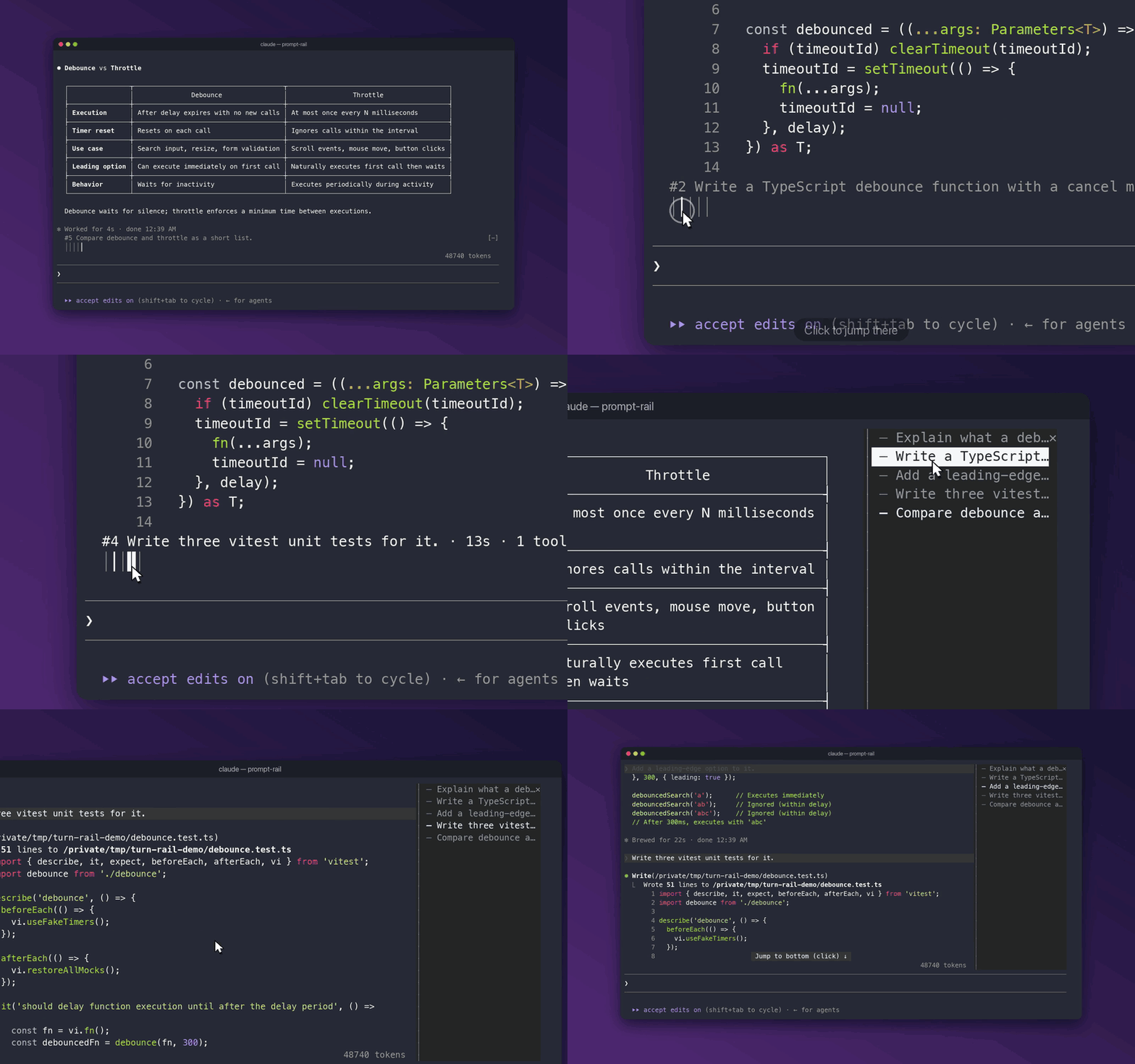
A rail of your prompts for Claude Code. Hover to read one, click to jump back to it.




Quick start
prompt-rail is a mod, so it needs Claude Code 2.1.287 or later, where mods are on by default. If you set CLAUDE_CODE_ENABLE_FUNCTION_HOOKS during early access, you can remove it, since Claude Code now ignores it.
-
Install, from your shell or inside a session:
claude plugin marketplace add oikon48/prompt-rail
claude plugin install prompt-rail@oikon48
/plugin marketplace add oikon48/prompt-rail /plugin install prompt-rail@oikon48 -
Start a new session. The rail opens on its own.
Mouse works best with "tui": "fullscreen".
Three layouts
Horizontal, above the prompt (default)

Vertical, beside the transcript
The top of the pane holds a card: the prompt being read, and the hovered prompt's text and turn painted over it. Close the pane with its close mark, or ctrl+x x while it has the focus, and a line in the band above the prompt takes its place, naming the prompt being read; click it to open the pane again.
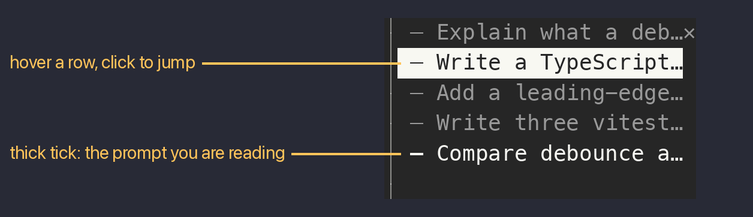
The vertical layout in motion
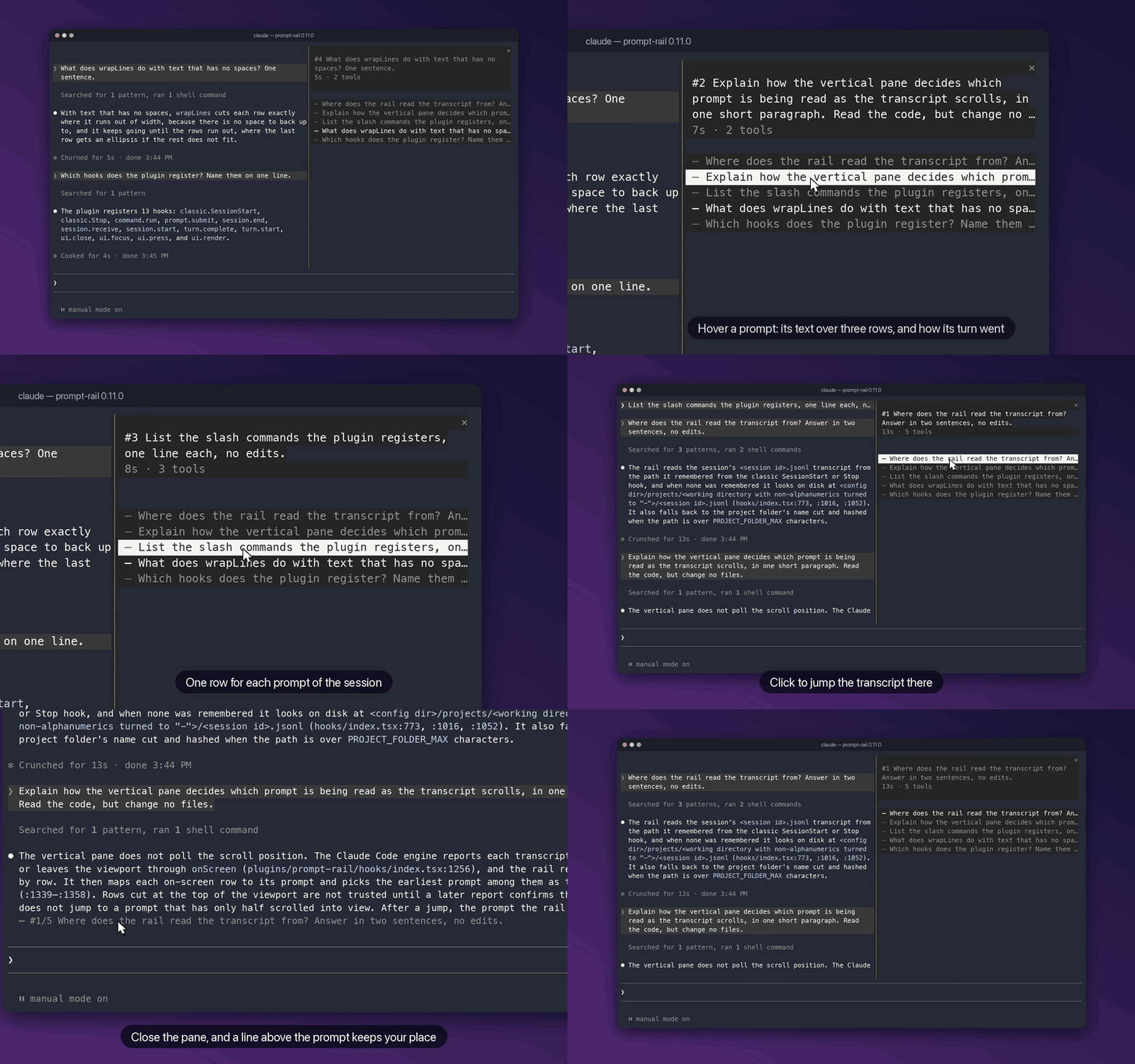
Below, under the prompt
The bars sit on a row of their own under the hint line below the prompt input, next to the status line, with the prompt being read beside them. ‹ and › step to the previous or next prompt. The hint line above them is Claude Code's own, so its mode label and hints stay as they are.

The below layout in motion
Commands
| Command | |
|---|---|
/prompt-rail horizontal | Bars above the prompt input |
/prompt-rail vertical | A pane beside the transcript |
/prompt-rail below | Bars under the hint line below the prompt input |
/prompt-rail off | Hide the rail |
/prompt-rail next | Jump to the next prompt |
/prompt-rail prev | Jump to the previous prompt |
/prompt-rail first, last | Jump to the first or the newest prompt |
/prompt-rail 12, #12 | Jump to prompt #12 |
/prompt-rail find <words> | Jump to the newest prompt that holds the words |
/prompt-rail-next, /prompt-rail-prev | Jump to the next or previous prompt, with no argument, for a keybinding |
/prompt-rail-toggle | Hide the rail, or bring it back in the layout last on, with no argument, for a keybinding |
/prompt-rail | Reopen the rail in the current layout |
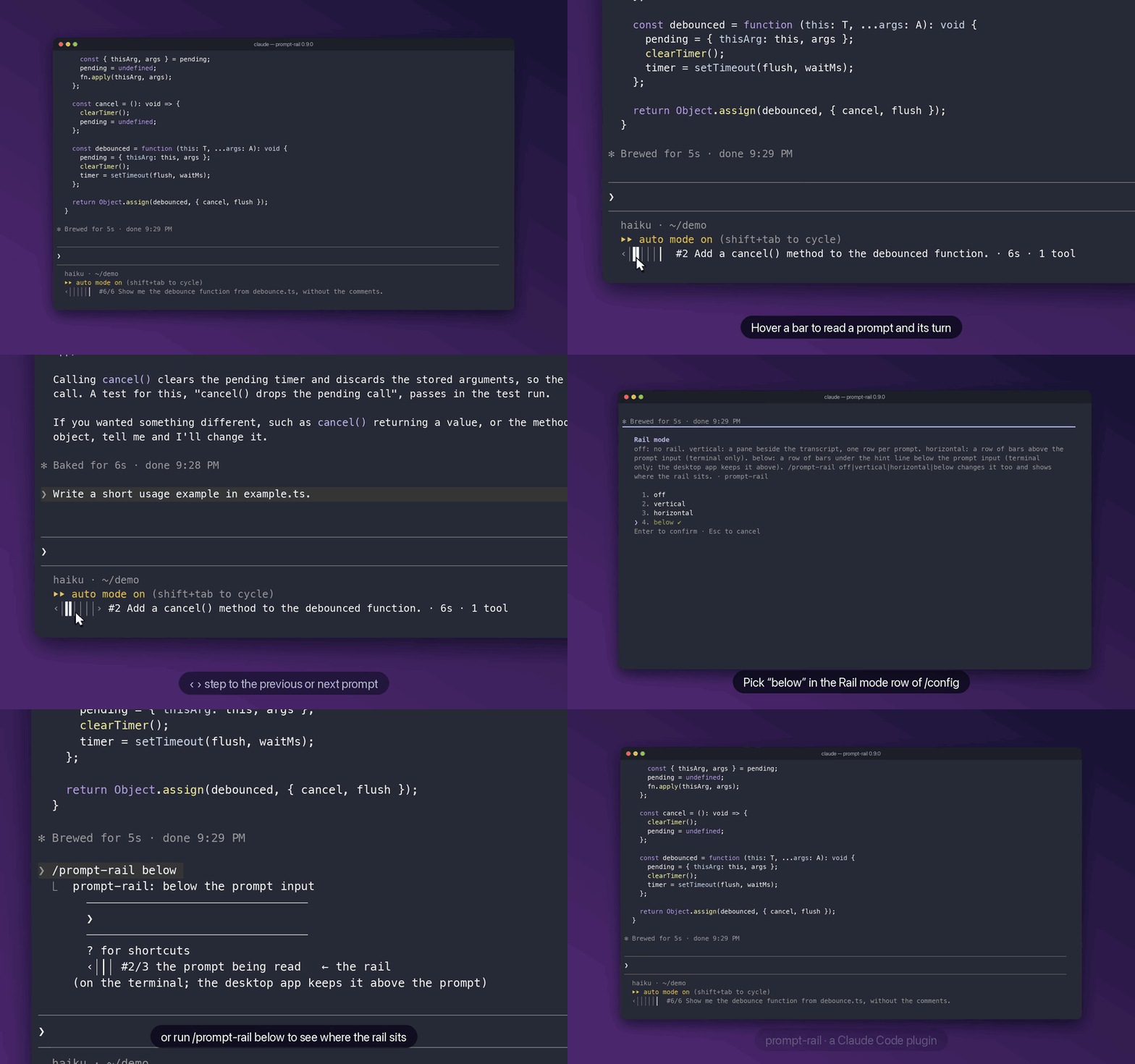
The layout is also the "Rail mode" row in /config, and it is kept across sessions. Switching it with /prompt-rail <layout> also draws where the rail now sits around the prompt input.
Keyboard
Bind the step commands in ~/.claude/keybindings.json; they run mid-turn too:
{
  "bindings": [
    { "context": "Chat", "bindings": { "ctrl+k": "command:prompt-rail-prev", "meta+j": "command:prompt-rail-next" } }
  ]
}
In the horizontal layout, ctrl+x tab moves the focus to the bars: the ring starts on the prompt you are reading, ← → move it across the bars on screen and show its prompt, Enter jumps there, Esc returns to the prompt input.
Tick legend
| Tick | Meaning |
|---|---|
━ ┃ | The prompt you are reading |
─ │ | Any other prompt |
┄ ┆ | A prompt Claude Code refused to scroll to; next and prev skip it |
How it works
From the transcript file to the rail
flowchart LR
  T[transcript .jsonl] -->|every prompt on the live branch| R[rail]
  S[rows on screen] -->|topmost row's prompt| R
  R -->|click, next/prev| J[scroll that prompt's row into view]
The rail lists the prompts of the live branch, so prompts abandoned with /rewind drop out, and prompts from before a resume are listed too. The prompt you are reading owns the topmost row on screen. The transcript is read again only when its size or time changed.
Limitations
Known limits
- The mods API may still change between Claude Code releases.
- The vertical rail shows the hover card at the top of its pane on the terminal; elsewhere its pane lists the prompts alone.
- The below rail is the terminal's. The Claude desktop app draws it above the prompt, as the horizontal rail.
- The Claude desktop app draws the horizontal rail and its hover cards, but a click cannot jump there. The app gives a plugin no way to scroll its transcript, so the rail says so once a session. The prompt being read is named beside the bars rather than on the line above them, since the app paints a card over that line without hiding what is under it. Checked with Claude Code 2.1.280, the app did not draw the vertical pane.
- The dock width is shared by all plugin panes; drag its edge to narrow it, down to 24 columns.
- A
/compactcommand's own row cannot be jumped to; its tick turns dotted after the first try. - Near the end of the transcript,
nextcannot scroll further.
Development
claude --plugin-dir plugins/prompt-rail        # load this checkout; saving reloads it
claude plugin validate plugins/prompt-rail
claude plugin test plugins/prompt-rail
Run /plugin-types .claude/types in a session here for type declarations. Bump the version in plugins/prompt-rail/.claude-plugin/plugin.json with each release, since installed copies update only when it changes.
License
Details
Weekly Mods Digest
Top new Claude Code mods and install commands, once a week. No fluff, unsubscribe anytime.

